5 Best Automatic Smoker Controllers for Set-It-and-Forget-It BBQ
Compare top automatic smoker controllers including BBQ Guru, Flame Boss, and Fireboard. WiFi connectivity, fan power, and real temperature control tested.
“`html
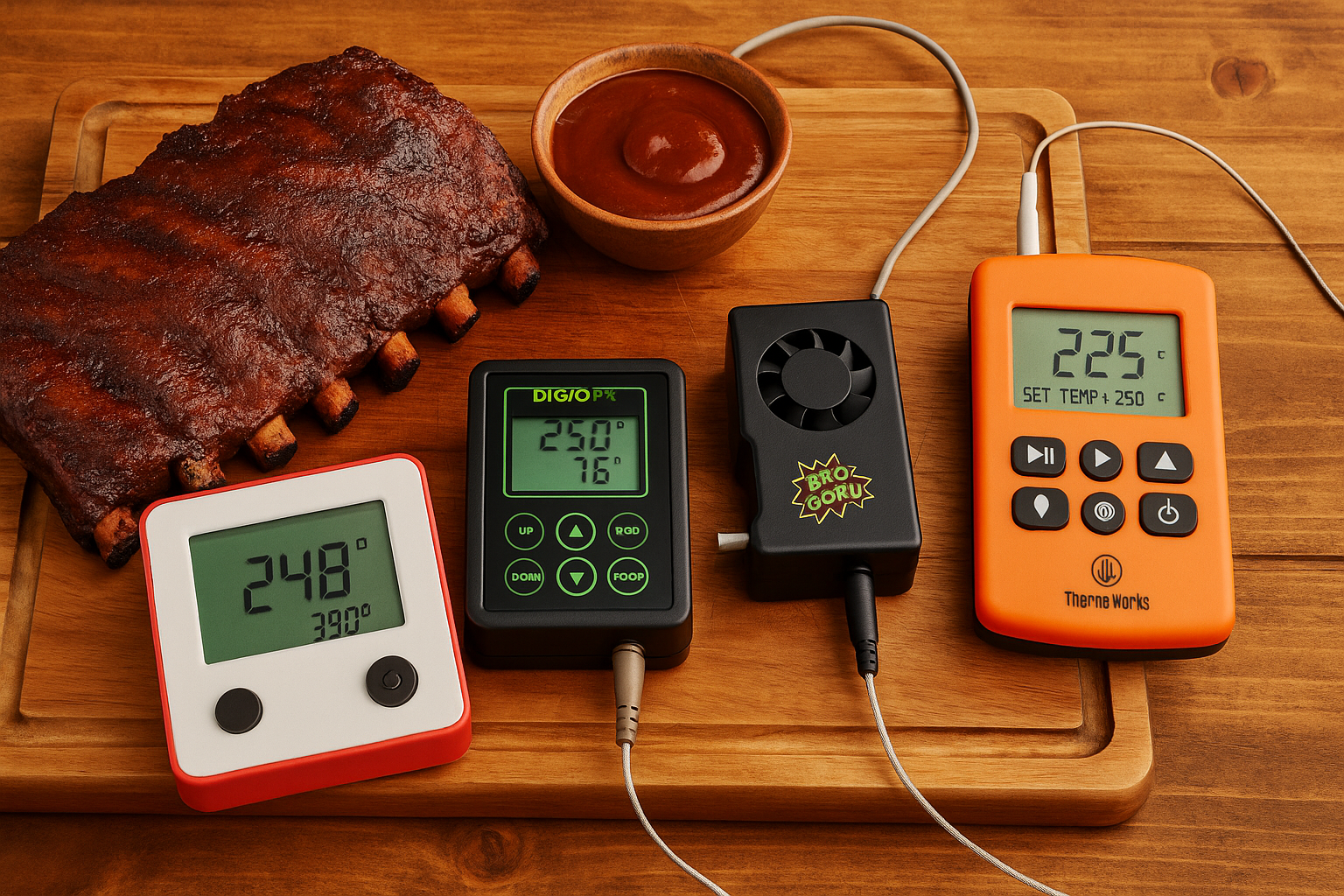
Babysitting a smoker for 12 hours while watching the temperature swing wildly gets old fast. An automatic smoker controller eliminates the guesswork by maintaining your target temp perfectly while you do literally anything else. Here are the five controllers worth your attention, tested on everything from offset smokers to kettle grills.
Disclosure: As an Amazon Associate, this site earns from qualifying purchases. Thank you!
What an Automatic Smoker Controller Actually Does
These devices monitor your smoker’s temperature with a probe and adjust airflow using a variable-speed fan. You set your target temp (say, 225°F for brisket), and the controller increases or decreases oxygen to the fire by ramping the fan up or down. Most modern units also track your meat temp with additional probes.
The difference between tending fire manually and using a controller? Manual monitoring means checking temps every 30 minutes and adjusting vents constantly. With a controller, you set it once and your temps stay within 5 degrees of target for the entire cook. I’ve run 16-hour pork shoulder cooks where I checked the smoker exactly twice.
You’ll need a smoker that burns charcoal or wood. These controllers won’t work on electric or pellet smokers since those already have built-in heating elements.
1. BBQ Guru DigiQ DX3: The Reliable Workhorse
The DigiQ DX3 has been the standard in pit controllers for years, and there’s a reason it dominates competition BBQ circles. This unit ships with a pit probe, two food probes, and a 10 CFM fan that provides enough airflow for most backyard smokers up to about 18 inches in diameter.
Setup takes about five minutes. You mount the fan adapter to your smoker’s lower intake vent (adapters included for Weber Smokey Mountain, Big Green Egg, and generic sizes), plug in the probes, and you’re done. The display shows pit temp and both food temps simultaneously, which beats squinting at separate thermometers.
Temperature control holds extremely tight, typically within 3 degrees of your target once the smoker stabilizes. I’ve used mine on a Weber Smokey Mountain for everything from 225°F briskets to 275°F hot-and-fast ribs, and it maintains temp better than I ever could manually.
The downside? No WiFi or app. You need to walk outside to check temps or adjust settings. For some folks, that’s actually a feature rather than a bug. If you want true set-it-and-forget-it monitoring from your couch, keep reading.
Check current prices on the BBQ Guru DigiQ DX3
2. Flame Boss 500 WiFi: Best Overall for Most People
The Flame Boss 500 combines rock-solid temperature control with WiFi connectivity and an app that doesn’t make you want to throw your phone. This is my pick for the best all-around automatic smoker controller because it nails the features that actually matter.
The unit includes a pit probe, three meat probes, and a powerful 17 CFM fan that handles larger smokers and offset rigs better than lower-powered competitors. Installation mirrors the DigiQ, with adapters for all common smokers plus a universal clamp system.
Where Flame Boss pulls ahead is the app experience. You get real-time temperature graphs, customizable alerts, and the ability to adjust your target temp remotely. The graph view particularly shines during long cooks because you can see exactly how stable your temps ran overnight without scrolling through data tables.
Temperature control matches the BBQ Guru’s precision. I’ve measured variance of plus or minus 2 degrees on multiple 14-hour brisket cooks. The WiFi connection stays solid up to about 150 feet through standard walls, and you can check temps from anywhere using the cloud feature.
The Flame Boss also integrates with Alexa, so you can ask your smart speaker for temp readings. That’s genuinely useful when your hands are covered in dry rub and you need a quick status check.
Here’s a detailed look at how the Flame Boss performs in real-world testing:
See latest pricing for the Flame Boss 500
3. Fireboard 2 Drive: For Data Nerds Who Want Every Detail
Fireboard takes a different approach by separating the controller (Fireboard 2) from the blower unit (Drive). You can buy the Fireboard 2 as a WiFi thermometer first, then add the Drive blower later if you decide you want automatic control. This modularity costs more upfront but gives you flexibility.
The Fireboard 2 supports up to six temperature probes simultaneously. That’s overkill for most cooks, but if you’re running multiple large cuts or comparing different zones in your smoker, it’s incredibly useful. I use four probes regularly: pit temp, two different spots on a brisket, and ambient temp at grate level.
The app provides the most detailed data logging of any controller I’ve tested. Temperature readings save to the cloud with timestamps, and you can overlay multiple cooks for comparison. For competition BBQ teams trying to nail consistency, this level of detail matters. For weekend warriors, it might be more than you need.
Temperature control performs well once dialed in, but the Drive blower requires more initial tweaking than plug-and-play options. You’ll adjust PID settings for your specific smoker type, which Fireboard’s app walks you through. After that setup, it holds temps within 5 degrees consistently.
The Fireboard 2 without the Drive functions as an excellent WiFi thermometer by itself. If you already have a smoker you can control manually but want better monitoring, buying just the Fireboard 2 saves money while giving you upgrade potential.
Check pricing on Fireboard 2 with Drive blower
4. Inkbird WiFi BBQ Controller: Budget-Friendly Entry Point
The Inkbird WiFi controller costs significantly less than premium options while delivering competent temperature control. You’ll make some compromises, but for casual BBQ enthusiasts smoking once or twice a month, it handles the core functions well.
This unit includes a pit probe, three food probes, and an 8 CFM fan. That fan power limits you to smaller smokers, really maxing out around a 22-inch Weber kettle. Try to use it on a large offset and the fan won’t generate enough airflow to maintain temp during cold weather or wind.
The app works fine for basic monitoring but lacks the polish of Flame Boss or Fireboard. Temperature graphs load slowly, and the interface feels dated. You can check temps and get alerts, which covers 90% of what you actually need, but don’t expect slick animations or detailed analytics.
Temperature variance runs slightly wider than premium controllers, typically holding within 8 to 10 degrees of target. That’s perfectly adequate for forgiving cuts like pork shoulder or ribs. For brisket where precise temp control affects bark development and rendering, you’ll notice the difference compared to tighter-controlling units.
Build quality feels lighter than competitors. The probes use thinner wire that seems more prone to damage, and the fan housing uses plastic where others use metal. Handle it carefully and it’ll last, but this isn’t the controller to toss around carelessly.
Despite limitations, the Inkbird gets you into automatic temperature control at a fraction of premium prices. If you’re new to smoking and unsure whether you’ll use a controller enough to justify top-tier pricing, this provides a solid testing ground.
5. ThermoWorks Signals with Billows: Premium Precision
ThermoWorks built a reputation on accurate thermometers, and the Signals with Billows blower delivers the precision you’d expect. This combo uses four probe channels for monitoring and one channel that controls the Billows fan for automatic temperature management.
Probe accuracy sets ThermoWorks apart. The Signals reads within 0.7°F accuracy, compared to 2°F for most competitors. For most BBQ applications, that difference won’t change your results. But if you’re particular about hitting exact temperatures for competition or you want lab-grade data, ThermoWorks delivers.
The Billows fan produces 15 CFM, putting it between mid-range and high-power options. It handles most backyard smokers easily, though very large offsets might benefit from more airflow. The fan attaches using a magnetic mounting system that adapts to various vent sizes without dedicated brackets.
Setup requires more steps than competitors. You’ll pair the Signals to WiFi, connect it to the Billows fan, configure the control channel, and set your target temps. The process isn’t complicated but takes 10 to 15 minutes your first time compared to 5 minutes for simpler units.
The Signals display uses a bright, easy-to-read screen that works well in direct sunlight. Most controllers fail this test, forcing you to shade the display to see readings outdoors. ThermoWorks clearly designed this for actual outdoor use.
Temperature control performs excellently, holding within 3 to 4 degrees once your fire stabilizes. The app provides clean temperature graphs and reliable alerts, though it doesn’t include some of the advanced features that Fireboard offers for data analysis.
One quirk: the Signals needs to stay relatively close to your smoker because the Billows fan connects via a 6-foot cable. You can’t set the controller inside your house and run the fan outside like WiFi-integrated units allow. Plan to keep the Signals on a patio table or near your cooking area.
See current prices on ThermoWorks Signals with Billows
Choosing the Right Controller for Your Smoker
Fan power matters more than most buyers realize. That 10 CFM fan that works perfectly on your Weber Smokey Mountain will struggle on a big offset stick burner. Match the fan’s CFM rating to your smoker’s size and how well it seals.
For kettle grills and drum smokers up to 22 inches, 8 to 10 CFM handles airflow needs. Medium smokers like the 22.5-inch Weber Smokey Mountain or Big Green Egg XL need 10 to 15 CFM. Large offset smokers and anything over 24 inches should use 15+ CFM fans.
WiFi connectivity costs extra but transforms the smoking experience. You’ll actually use your smoker for overnight cooks when you can check temps from bed without going outside at 3 AM. The convenience factor drives up your smoking frequency, which makes the extra cost worthwhile.
Probe count affects versatility. Two probes (pit and one food probe) cover basic cooks. Four probes let you monitor multiple pieces of meat or track temperature variations across your cooking surface. Six probes appeal mainly to competition teams or serious enthusiasts.
Weather resistance varies considerably. The BBQ Guru units and Flame Boss handle rain and humidity well. Budget controllers sometimes experience WiFi dropouts in wet conditions. If you smoke year-round in variable weather, spring for units with proven outdoor durability.
Installation Tips That Actually Matter
Mount your fan to the lower intake vent, not the exhaust. The controller needs to regulate oxygen feeding the fire, which means controlling incoming air. Mounting it to the chimney or exhaust accomplishes nothing.
Leave your exhaust vent fully open. These controllers work by varying intake airflow, and they need unrestricted exhaust to function properly. Closing down your chimney or top vent fights against the controller and causes temperature swings.
Place your pit probe at grate level, away from direct heat. Clipping it to the cooking grate near your meat gives accurate readings of the cooking environment. Positioning it too close to the fire or in a hot spot causes the controller to cut airflow prematurely.
Run one cook manually after installing your controller to verify probe placement and fan performance. Set your target temp, monitor for an hour, and confirm everything stabilizes properly. This test cook prevents surprises when you’re halfway through an expensive brisket.
Check your fan adapter seal. Air leaks around the mounting point cause erratic temperature control because the controller can’t regulate airflow accurately. Use high-temp gasket material or adjust the adapter until you get a tight seal.
Common Problems and How to Fix Them
Temperature overshooting happens when you start with too much lit charcoal. Light a smaller amount initially and let the controller bring your smoker up to temp slowly. Starting with a full chimney of lit coals causes temps to spike before the controller can compensate.
WiFi disconnections plague every brand occasionally. Position your router closer to your smoker, or use a WiFi extender to strengthen the signal. Most controllers work fine with moderate signal strength, but weak connections cause frustrating dropouts during long cooks.
Fan running constantly suggests either air leaks in your smoker or insufficient fuel. Seal obvious gaps with gasket material, and make sure you’re starting with enough unlit charcoal. The controller can’t maintain temp if your fire keeps dying from lack of fuel.
Probe failures usually result from wire damage near the connector. These thin wires break easily if you close a smoker lid on them repeatedly. Route probe wires carefully and replace damaged probes immediately rather than questioning readings.
Temperature swings during weather changes require patience more than fixes. Wind and dropping temps affect your smoker’s heat retention. The controller will compensate, but expect 15 to 20 minutes of adjustment time when conditions shift significantly.
Do You Actually Need Automatic Control?
Smoking foods that cook in under four hours doesn’t really benefit from automatic control. You’re already monitoring ribs or chicken for that duration, so adjusting vents manually isn’t burdensome. Save your money for these shorter cooks.
Long cooks transform with a controller. Brisket, pork shoulder, and overnight sessions become dramatically easier when you’re not checking temps every hour. The difference between sleeping through a 14-hour cook versus setting alarms all night is substantial.
Competition teams rely on controllers because consistency matters more than anything. Removing human variance from temperature control means your results depend purely on your technique and product quality. If you’re competing seriously, a controller becomes essential equipment.
Learning fire management skills still matters. Controllers handle the tedious monitoring, but you’ll get better results if you understand charcoal arrangements, vent effects, and how weather impacts your smoker. The controller makes you better, not a replacement for knowledge.
Multiple simultaneous cooks justify a controller investment quickly. Running brisket, ribs, and chicken wings together while maintaining steady 250°F requires constant attention manually. A controller manages the temp while you focus on timing and pulling items at proper doneness.
Getting Better Results Beyond Temperature Control
Stable temps matter, but they’re only part of successful BBQ. Your fuel choice affects flavor significantly. Lump charcoal burns cleaner but less consistently than briquettes. Mix in wood chunks for smoke, not chips that burn too quickly.
Meat quality trumps equipment every time. A controller maintains perfect temps, but it can’t fix a poorly trimmed brisket or old pork shoulder. Buy the best meat you can source and season it properly with quality smoked paprika and rubs.
Monitor internal temps more than pit temps. Your controller keeps the cooking environment steady, but you still need to pull meat at the right internal temperature. Brisket at 203°F feels completely different than brisket at 195°F, even in the same smoker.
Rest your meat properly after smoking. All that perfect temperature control during the cook gets wasted if you slice immediately. Wrap large cuts in butcher paper and rest for at least an hour to let juices redistribute.
Keep detailed notes about what works. Your controller provides consistent conditions, which means you can actually compare technique changes meaningfully. Note your fuel amount, wood type, and timing to build a personal database of successful cooks.
FAQ
Can I use an automatic smoker controller on a pellet grill?
No, these controllers only work on charcoal or wood-burning smokers. Pellet grills have built-in auger systems that already control temperature automatically. Adding an external fan controller would fight against the pellet grill’s internal controls and create erratic temperatures. If you’re deciding between smoker types, read about pellet versus electric options to understand the differences.
How much charcoal do I need when using a controller?
Fill your charcoal basket or ring completely with unlit charcoal, then light 10 to 15 briquettes in a chimney starter and place them on top. The controller will regulate airflow to burn charcoal slowly, extending your fuel dramatically compared to manual smoking. A full basket typically runs 12 to 16 hours at 225°F, compared to 6 to 8 hours manually. You’re using roughly the same total charcoal, just burning it more efficiently over a longer period.
Will a smoker controller work in cold weather?
Yes, but you’ll burn through fuel faster and may need extra charcoal for very long cooks below freezing. The controller compensates for cold temps by increasing airflow, which burns charcoal more quickly. Some users wrap their smokers in welding blankets during winter smoking to improve heat retention. The controller still maintains your target temp, it just works harder to do so. Check your fuel levels more frequently during cold weather cooks to avoid running out unexpectedly.
Can I monitor temperatures from my phone away from home?
Most WiFi controllers offer cloud connectivity that lets you check temps from anywhere with cell service. The controller connects to your home WiFi, sends data to the manufacturer’s servers, and you access it through their app. This works well for running errands during a long cook or checking overnight temps from bed. You’ll need stable home WiFi and the controller must stay connected. Some cheaper units only work on your local network, requiring you to be within WiFi range. Check specifications before buying if remote monitoring matters to you.
My Pick for Most Smokers
The Flame Boss 500 WiFi hits the sweet spot for features, reliability, and usability. It costs more than budget options but less than premium alternatives while delivering temperature control that matches anything available. The app actually works smoothly, the fan power handles most smoker sizes, and setup takes minutes rather than requiring configuration tweaking.
You’ll use your smoker more often with automatic temperature control. Those 14-hour brisket cooks stop feeling like babysitting marathons and become legitimate set-it-and-forget-it projects. Check temps from your phone, get alerts if anything drifts, and otherwise ignore your smoker until it’s time to wrap or pull your meat.
If you smoke regularly, a quality controller pays for itself in saved frustration within a few cooks. If you’re still learning, start with the Inkbird to test whether automatic control fits your style before investing heavily. Either way, maintaining steady temps dramatically improves your results compared to constant vent fiddling.
This article contains affiliate links. If you purchase through these links, we may earn a small commission at no extra cost to you.